
Functions
A clean directory of functions with examples across spreadsheets and productivity apps.
What are you trying to do?
Choose a function group by the type of task you’re working on.
Analyze Data
Count and summarize numeric data across ranges
Clean Up Text
Extract and combine and format text strings
Do Calculations
Perform math operations including sums and rounding
Dynamic Arrays
Return multiple results and spill into adjacent cells automatically
Engineering & Conversion
Convert units and work with binary and hex values
Financial Models
Calculate loan payments and investment returns and depreciation
Find & Match Values
Search for and retrieve data from tables and ranges
Get Information
Check cell types and test values and return metadata
Handle Errors
Detect and trap and replace formula errors with fallback values
Import & Web Data
Pull data from external URLs and feeds and other spreadsheets
Lambda & Custom
Build and reuse your own custom formula logic
Make Decisions
Test conditions and return results based on logical rules
Statistical Analysis
Calculate probability, standard deviation, variance, and distributions
Work with Dates
Calculate and compare and manipulate dates and times
Function Finder
Type a function name or keyword to filter the A–Z index instantly.
Quick Function Index
Jump to a letter, then scan names and open the function you need.
Filter
ExcelGoogle Sheets
Array The range of data you want to filter and return. This can be a single column or multiple columns, but it…
Filter
Syntax
=FILTER(array, include, [if_empty])
Syntax description
Array
The range of data you want to filter and return.
This can be a single column or multiple columns, but it must be a continuous range.
Include
One or more logical tests that return TRUE or FALSE for each row in the array.
Only rows where the condition evaluates to TRUE are included in the result.
[if_empty] (optional)
The value to return if no rows meet the condition.
If omitted, the function returns an error when no matches are found.
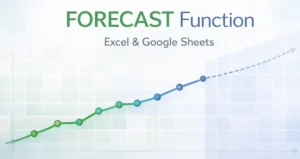
Forecast
ExcelGoogle Sheets
x – The future value of the independent variable you want to forecast. known_ys – The known dependent values (historical results). known_xs…
Forecast
Syntax
=FORECAST(x, known_ys, known_xs)
Syntax description
- x – The future value of the independent variable you want to forecast.
- known_ys – The known dependent values (historical results).
- known_xs – The known independent values (historical inputs).
SUM
ExcelGoogle Sheets
number1 – The first number, cell, or range to add. [number2] – Optional additional numbers, cells, or ranges.
SUM
Syntax
=SUM(number1, [number2], ...)
Syntax description
- number1 – The first number, cell, or range to add.
- [number2] – Optional additional numbers, cells, or ranges.

SUMIF
ExcelGoogle Sheets
Syntax Description range: The cells to test against your condition (text, numbers, dates, or logical values). criteria: The condition that decides which…
SUMIF
Syntax
=SUMIF(range, criteria, [sum_range])
Syntax description
Syntax Description
-
range: The cells to test against your condition (text, numbers, dates, or logical values).
-
criteria: The condition that decides which rows to include (for example: “East”, “>=100”, “>=”&DATE(2026,2,1)).
-
[sum_range] (optional): The cells to add. If omitted, SUMIF sums the cells in range when they meet the criteria.
Popular Functions
Hand-picked function guides that work in both Excel and Google Sheets.