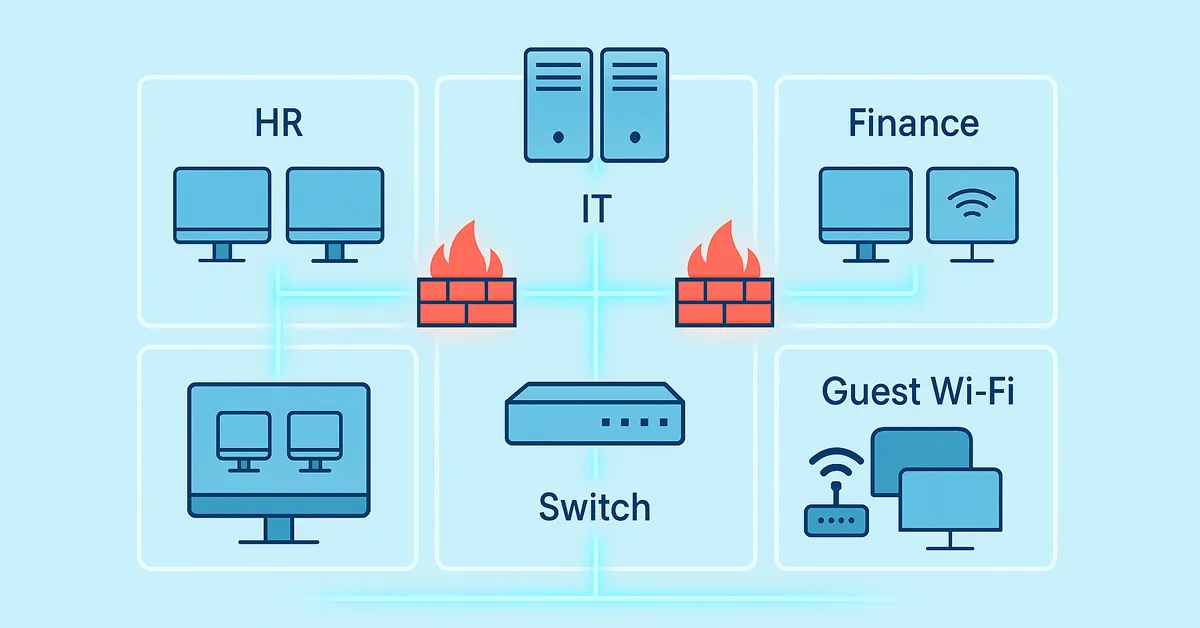
Picture a crowded office where everyone has access to everything: your sensitive files, video conferences, and even your network’s critical infrastructure. It sounds chaotic, right? That’s where VLAN segmentation comes in. It’s like creating separate rooms in your digital workspace, each with its own purpose and level of access. The result? A cleaner, safer, and more reliable network environment.
With VLANs, employees access only what they need, guests stay isolated, and critical systems remain untouchable. It’s not just about organization—it’s about security, compliance, and peace of mind. Let’s explore the top benefits, implementation tips, common mistakes, and real-world use cases of VLAN segmentation in modern IT networks.
What is VLAN Segmentation?
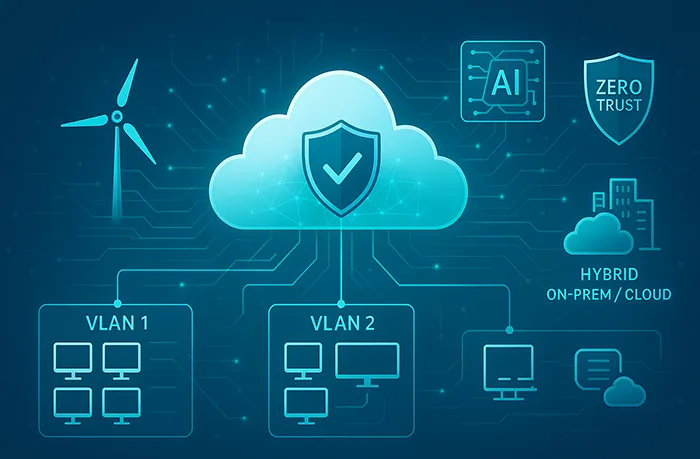
A Virtual Local Area Network (VLAN) allows you to divide a single physical network into multiple logical segments. Each VLAN operates independently, with its own traffic flow and access rules. Think of it like building separate floors in an office building: HR on one floor, IT on another, and guests restricted to the lobby Wi-Fi.
This segmentation is vital in a world where cyber threats move laterally once inside a network. By isolating workloads and users, VLANs stop attackers in their tracks and align with frameworks such as Zero Trust Security.
⭐ Top 5 Benefits of VLAN Segmentation
1. Enhanced Security
VLANs act like digital firewalls. By isolating sensitive systems and data, you minimize the risk of unauthorized access or lateral movement. If a single VLAN is compromised, the threat is contained there—protecting other areas of your network.
- Limit access to sensitive data by restricting it to private VLANs.
- Prevent malware from spreading beyond its origin point.
- Support compliance with security standards like PCI DSS, HIPAA, and GDPR.
Example: In healthcare, patient record systems are segmented from guest Wi-Fi, ensuring HIPAA compliance and data safety.
2. Improved Network Performance
By dividing traffic into manageable lanes, VLANs reduce congestion and keep critical apps running smoothly. For example, video conferencing and VoIP traffic can run in their own VLAN without interfering with database transactions.
- Improve response times by isolating bandwidth-heavy applications.
- Prevent guest traffic from affecting internal business operations.
Admins can further optimize server performance by regularly cleaning up unused files. See our guide on cleaning up disk space in Windows 11 for tips that keep servers efficient within VLAN environments.
3. Simplified Management
Instead of managing networks physically, VLANs allow logical groupings. You can create VLANs for finance, development, or guests, and apply policies consistently across all devices in each group.
- Push group-wide policies such as firewall rules.
- Group devices by function or department, not physical port location.
- Streamline administrative tasks like adding new employees.
When combined with Active Directory Users and Computers, VLANs ensure that device and identity management follow the same access logic—boosting consistency across IT systems.
4. Cost Savings
Instead of buying multiple switches or routers, you can use VLAN-capable hardware to segment traffic virtually. This saves both capital expenses and long-term operational costs.
- Extend the life of existing infrastructure by maximizing hardware use.
- Reduce physical complexity in wiring and hardware.
- Lower maintenance and energy costs with consolidated gear.
Ideal for: Startups and SMBs that need enterprise-grade security without enterprise budgets.
5. Better Compliance
VLANs make it easier to meet compliance mandates such as PCI DSS, HIPAA, and GDPR. Auditors prefer clear isolation of sensitive traffic, and VLANs provide exactly that.
- Separate payment systems from public Wi-Fi for PCI compliance.
- Apply security baselines using the Windows Server 2022 Hardening Checklist.
- Simplify audits with demonstrable segmentation of sensitive traffic.
Case Studies: VLANs in Action
- Healthcare: VLANs separate patient devices, medical records, and guest Wi-Fi for HIPAA compliance.
- Education: Students, teachers, and staff are placed into unique VLANs to restrict access appropriately.
- Retail: POS systems, security cameras, and guest Wi-Fi are isolated to prevent breaches.
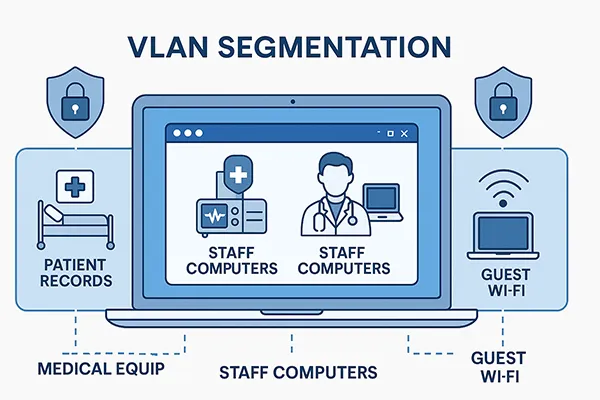
Real-world cybersecurity incidents prove that attackers thrive in flat networks. VLAN segmentation helps contain these threats before they escalate into full-scale breaches.
How to Implement VLAN Segmentation
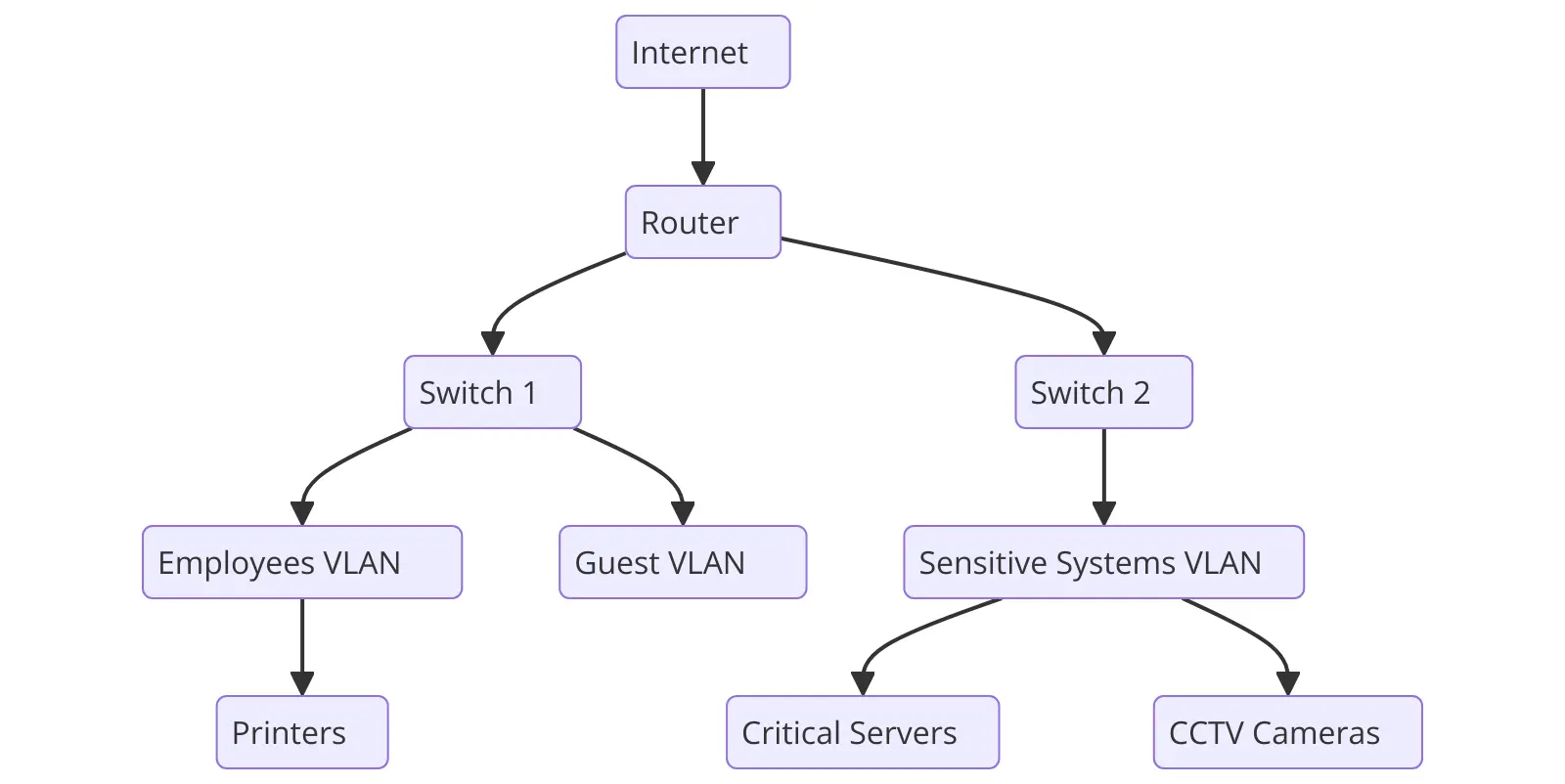
- Inventory devices by function or department (e.g., Finance, VoIP, Guests).
- Configure VLANs on a managed switch (Cisco, Ubiquiti, Palo Alto).
- Assign ports or MAC addresses to VLANs appropriately.
- Test connectivity and isolation before going live.

Common Mistakes to Avoid
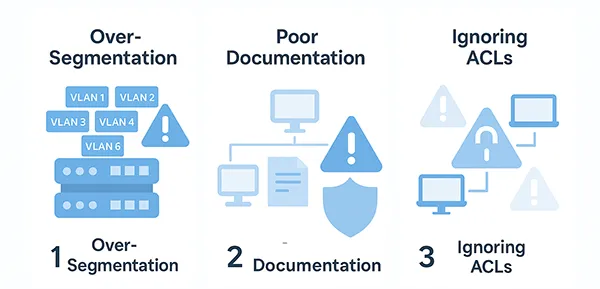
While VLANs are powerful, improper deployment can create new risks. Here are mistakes admins should avoid:
- Over-segmentation: Creating too many VLANs complicates management and increases misconfiguration risk.
- Poor Documentation: Failing to track VLAN IDs and rules makes troubleshooting difficult.
- Ignoring ACLs: Without proper Access Control Lists, VLAN traffic may still flow insecurely between segments.
Future-Proofing VLANs
VLAN segmentation is only becoming more relevant. As AI in IT operations grows, automated systems will dynamically reassign VLANs based on risk detection. Combined with next-gen firewalls and cloud-driven orchestration, VLANs are the foundation of adaptive, secure networks.
Comparison: VLAN vs Non-VLAN Networks
| Category | VLAN Networks | Non-VLAN Networks |
|---|---|---|
| Security 🔒 | Traffic isolation prevents lateral threats (✔️) | Shared flat network with more exposure (❌) |
| Performance 🚀 | Optimized traffic flows and less congestion (✔️) | Performance degradation under heavy load (❌) |
| Cost 💲 | Leverages fewer physical devices (✔️) | Requires multiple switches and routers (❌) |
| Scalability 🌐 | Scales logically with VLAN configs (✔️) | Manual hardware expansion required (❌) |
References
The Bottom Line
In today’s fast-paced, security-conscious world, VLAN segmentation is no longer optional. It enhances security, improves performance, simplifies IT operations, and ensures compliance—all while saving money. Whether you’re a small business or a global enterprise, VLANs provide the structure needed to keep networks safe and efficient.
Ready to take the next step? Start by mapping your devices and planning a VLAN strategy that aligns with both your security needs and compliance goals.
Frequently Asked Questions
What is VLAN segmentation?
It’s the process of dividing a physical network into multiple logical networks, each isolated for security and performance.
How does VLAN improve network security?
VLANs prevent lateral attacks by containing threats within isolated segments, reducing the chance of full-network compromise.
Do I need special equipment?
You need a managed switch or router that supports VLANs. Most modern Cisco, Ubiquiti, and Palo Alto devices are VLAN-capable.
Can VLANs help with compliance?
Yes. VLANs support HIPAA, PCI DSS, and GDPR requirements by isolating sensitive data and enforcing access controls.
Are VLANs only for large enterprises?
No, VLANs benefit small and mid-size businesses too, offering cost-effective security and scalability.