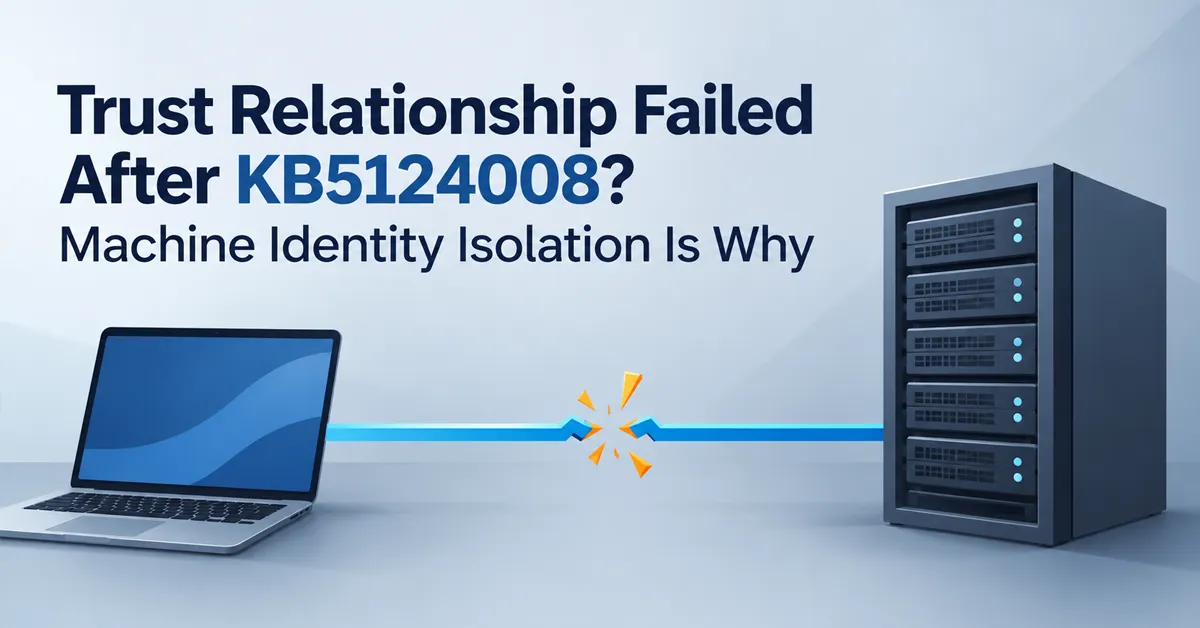
A user signs in on Monday morning and gets this:
The trust relationship between this workstation and the primary domain failed.
That error has been around for decades and usually means one thing: the machine account password is out of sync with Active Directory. Since 8 September 2026 it means something else on a growing number of devices, and the old fix makes things worse rather than better.
If the device installed KB5124008 or later, the likely cause is a Credential Guard feature called Machine Identity Isolation enforcing in an environment that cannot support it.
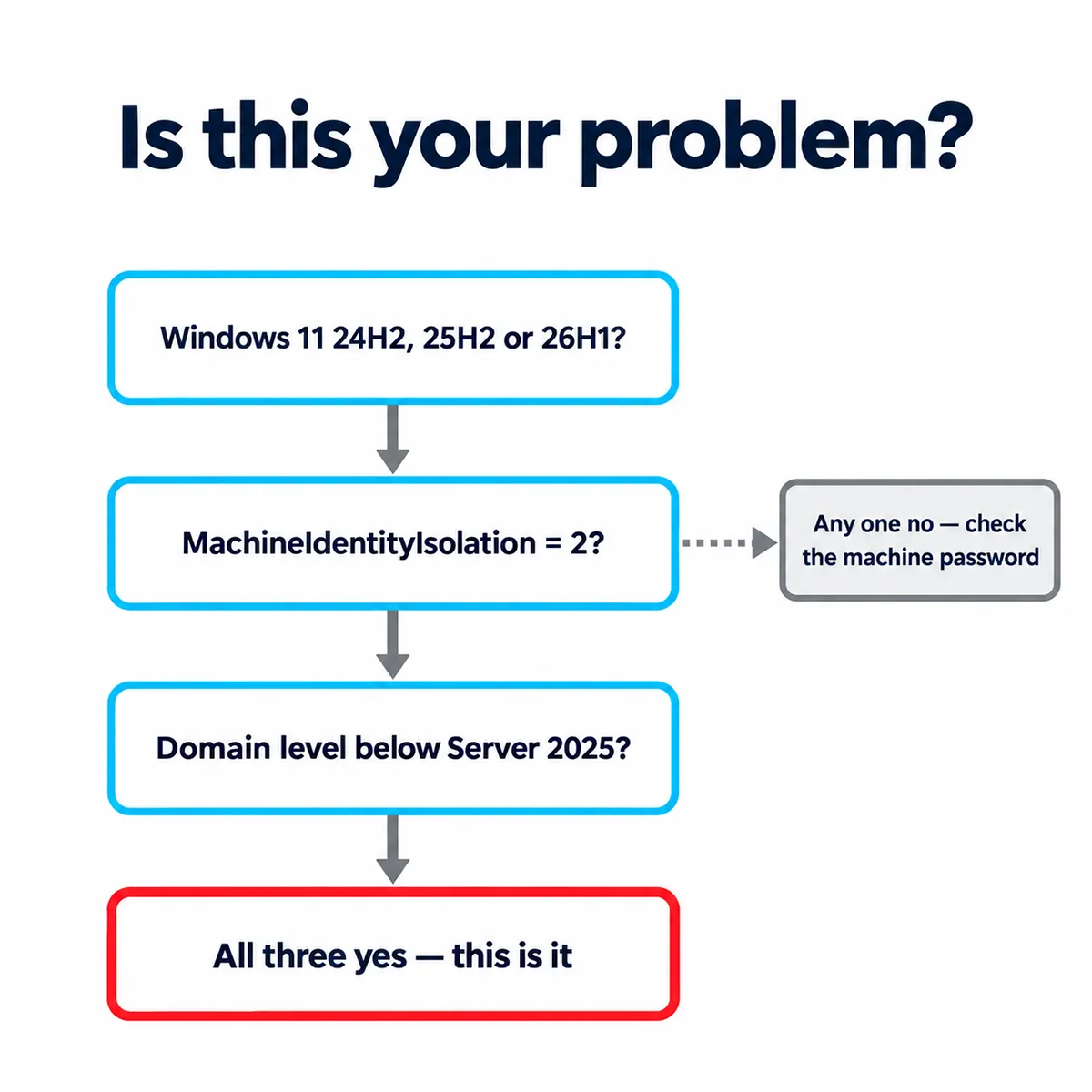
MachineIdentityIsolation set to 2, and domain functional level below Windows Server 2025 — that combination is the issue Microsoft has documented.The diagrams in this guide illustrate the diagnostic logic and the fix sequence. Screenshots from a live affected system will be added once a reproduction environment is available.
What you will actually see
Microsoft’s description is specific, and the details matter for triage:
- Users cannot sign in interactively with valid domain credentials
- The trust relationship error appears at sign-in
- Offline sign-in using cached credentials may still work
- Active Directory replication is unaffected
- AD services on the domain controllers are unaffected
That third point is the one that misleads people. Some users carry on working all day on cached credentials and only hit the wall after a password change or a cache expiry, so the failures arrive staggered rather than all at once. It rarely looks like an update-related outage at first.
Which update: on 24H2 and 25H2 the originating update is KB5124008. On 26H1 it is KB5124012, the corresponding 8 September 2026 security update. Same issue, same workaround.
Why it happens, precisely
This is the part most coverage gets slightly wrong, and the distinction changes how you investigate.
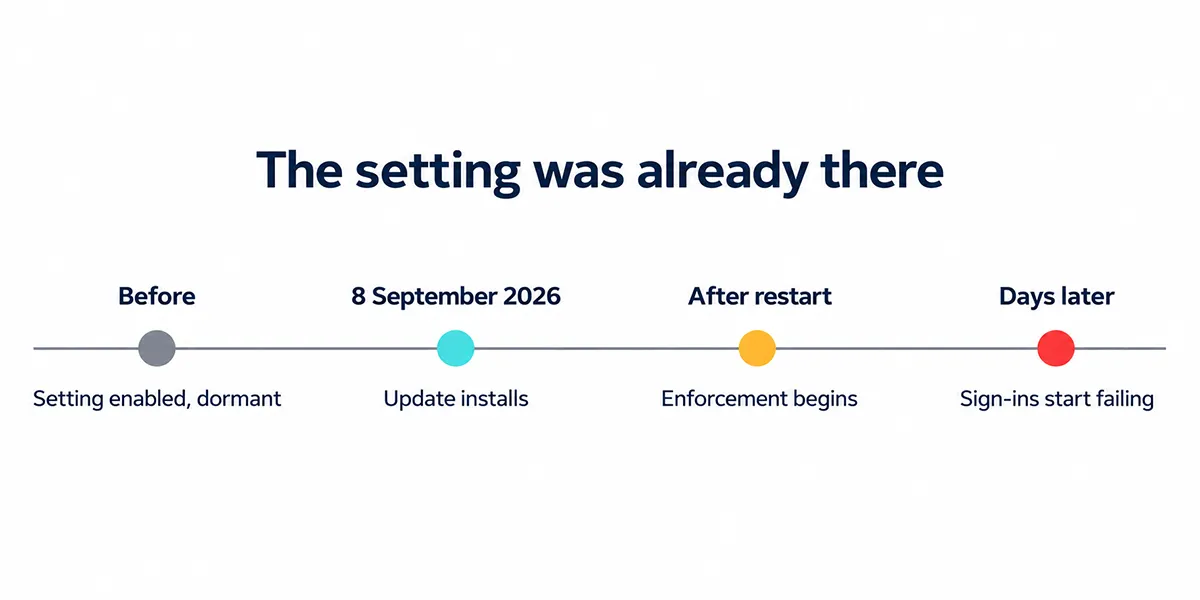
Microsoft’s wording is careful, and it turns on one word. KB5124008 and later updates enable the Machine Identity Isolation feature. They do not directly enable enforcement. What they do is cause Windows to begin honoring any existing or policy-provisioned settings that already enabled enforcement.
So the setting was almost certainly already on your devices, sitting inert. The September update is what started acting on it.
That reframes the question you should be asking. Not “what did the update change?” but “who enabled Machine Identity Isolation here, and when?” — because the answer determines how you switch it off.
Machine Identity Isolation is a Credential Guard feature that protects the computer account secret by moving it out of the traditional LSA path into a virtualisation-isolated environment. That protection is only supported when the device talks to domain controllers running at Windows Server 2025 Domain Functional Level or above. Below that level the domain’s authentication infrastructure cannot support it, and the machine’s secure channel can fail.
Which gives you a clean three-part test:
| Question | If yes |
|---|---|
| Is the device on Windows 11 24H2, 25H2 or 26H1 with the September 2026 security update or later? | Candidate |
| Is Machine Identity Isolation enabled or enforcing on the device? | Candidate |
| Is your domain functional level below Windows Server 2025? | This is likely your issue |
All three yes, and you have found the failure pattern Microsoft describes. Any one no, and you may be looking at the classic machine account password problem instead — which has a different fix.
Step 1: Check your domain functional level
Do this first, because it decides everything that follows. From any machine with the AD PowerShell module, or from a domain controller:
Get-ADDomain | Format-List DomainMode, DNSRoot
Get-ADForest | Format-List ForestMode
If DomainMode returns anything below Windows2025Domain, Machine Identity Isolation is not supported in your environment and should be switched off on every affected client.
Step 2: Confirm Machine Identity Isolation on the device
On an affected machine, check both registry locations. Either one can hold the setting depending on how it was applied:
Get-ItemProperty -Path 'HKLM:\SYSTEM\CurrentControlSet\Control\Lsa' `
  -Name MachineIdentityIsolation -ErrorAction SilentlyContinue

Get-ItemProperty -Path 'HKLM:\SOFTWARE\Policies\Microsoft\Windows\DeviceGuard' `
  -Name MachineIdentityIsolation -ErrorAction SilentlyContinue
A value of 2 means enforcement is on. In an environment below Windows Server 2025 Domain Functional Level, that is the setting you need to remove or disable.
Step 3: Disable it using the method that enabled it
This matters. If you clear the registry value while a Group Policy or Intune policy still sets it, the policy reapplies and the machine breaks again at the next refresh. Match the fix to the source.
| Enabled by | Disable with |
|---|---|
| Intune policy | The DeviceGuard MachineIdentityIsolation CSP, set to disabled |
| Group Policy | The same Credential Guard policy that turned it on |
| Registry directly | Set MachineIdentityIsolation = 0 in whichever key holds 2 |
If you genuinely do not know how it was set — which is common, because it may predate whoever is on call — check Group Policy first with gpresult /h report.html on an affected machine, then Intune, then assume registry.
Step 4: Restart first, then repair the secure channel
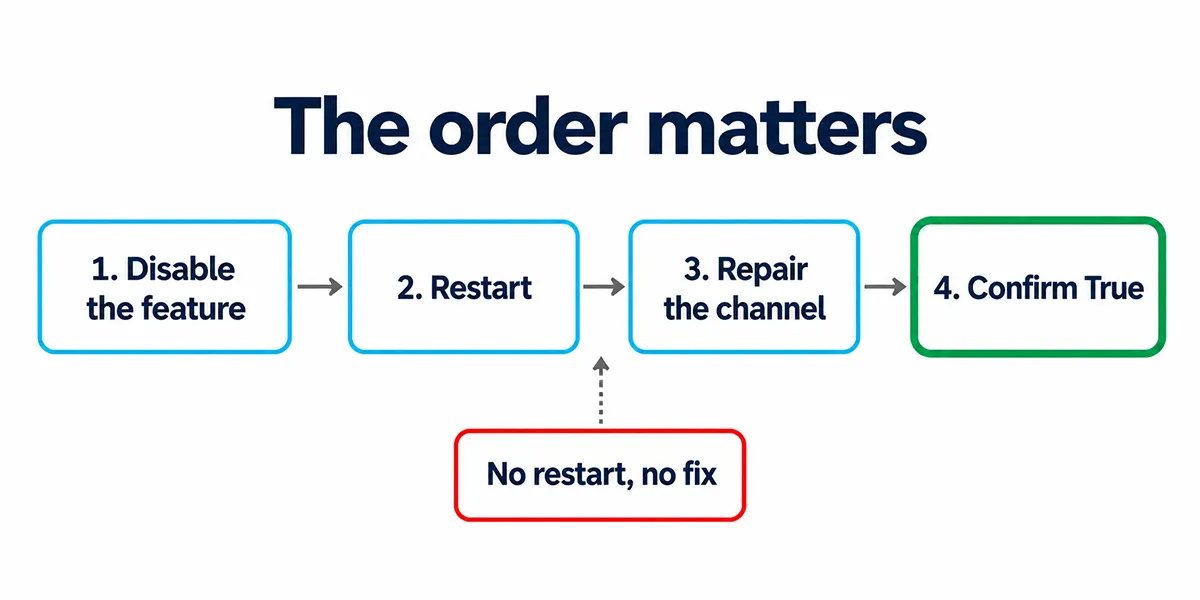
The order is not optional. After disabling Machine Identity Isolation, restart the device so the change takes effect. Then repair the secure channel:
Test-ComputerSecureChannel -Repair -Credential (Get-Credential)Supply an account with permission to reset the computer account. Run Test-ComputerSecureChannel on its own afterwards to confirm it returns True.
Repairing before the restart does not stick. Enforcement is still active, so the channel can break again immediately.
What not to do
Do not rejoin the domain as your first fix. It is the reflex for this error message and it is the wrong move here. Removing and rejoining can destroy the existing computer object or create a duplicate, can lose Group Policy scoping and BitLocker recovery key escrow, and takes far longer. If Machine Identity Isolation is still enforcing, the rejoined machine can break again anyway.
The secure channel is not the underlying problem. It is the symptom of a feature enforcing where it cannot work.
Do not uninstall KB5124008 as the long-term fix. It is a security update, and removing it leaves the underlying configuration in place for the next cumulative update to enforce again. Disable Machine Identity Isolation instead, then repair the secure channel.
Do not raise the domain functional level under outage pressure. If you want Credential Guard machine account protection later, plan the Windows Server 2025 DFL move properly after service is restored.
Finding affected machines before they call you
Because cached credentials mask the failure, waiting for tickets means discovering the scope slowly over several days. If your fleet includes Windows 11 Enterprise on 24H2 or later against a pre-2025 DFL domain, it is worth checking proactively.
This proactive check is most useful before users start calling. Machines already in a failed sign-in state may not respond to remote PowerShell, so treat the output as an at-risk list, not a complete inventory.
$computers = Get-ADComputer -Filter 'OperatingSystem -like "Windows 11*"' |
  Select-Object -ExpandProperty Name

Invoke-Command -ComputerName $computers -ErrorAction SilentlyContinue -ScriptBlock {
    $lsa = Get-ItemProperty -Path 'HKLM:\SYSTEM\CurrentControlSet\Control\Lsa' `
      -Name MachineIdentityIsolation -ErrorAction SilentlyContinue
    $dg  = Get-ItemProperty -Path 'HKLM:\SOFTWARE\Policies\Microsoft\Windows\DeviceGuard' `
      -Name MachineIdentityIsolation -ErrorAction SilentlyContinue

    [PSCustomObject]@{
        Computer = $env:COMPUTERNAME
        Lsa      = $lsa.MachineIdentityIsolation
        Policy   = $dg.MachineIdentityIsolation
    }
} | Where-Object { $_.Lsa -eq 2 -or $_.Policy -eq 2 } |
    Format-Table Computer, Lsa, Policy
Combine it with whatever your management platform reports on Credential Guard configuration. If you are working through AD housekeeping alongside this, our guides to running Active Directory Users and Computers and finding stale and disabled accounts cover the tooling.
Telling this apart from the classic cause
The same error message has a much older and more common cause: the machine account password falling out of sync, typically after a device is restored from a snapshot, left offline past the 30-day machine password rotation, or cloned without Sysprep.
| Machine Identity Isolation | Classic password mismatch | |
|---|---|---|
| Started | After the September 2026 update | Any time |
| Scope | Multiple devices, staggered | Usually one device |
| OS | Windows 11 Enterprise 24H2 / 25H2 / 26H1 | Any Windows version |
| Registry value = 2 | Present | Absent |
| Fix | Disable feature, restart, then repair | Repair channel alone is usually enough |
If Test-ComputerSecureChannel -Repair works and then fails again within a day or two, that is a strong sign the feature is still enforcing and Step 3 did not actually take — most often because a policy reapplied it.
How it was resolved
Microsoft resolved this in the Windows updates released 22 September 2026 (KB5124010) and everything after that date.
The fix is blunt, and deliberately so: the update prevents Machine Identity Isolation enforcement by disabling the feature completely, regardless of how it is configured on the device. Your registry value or policy can still say 2 — Windows now ignores it.
So if you are patched to 22 September or later, there is nothing to do. No registry edit, no secure channel repair, no policy change. Devices that were already broken recover once the update installs and the machine restarts.
winver or Get-ComputerInfo | Select-Object OsBuildNumber. If the device is on the 22 September update or later, the workaround sections above are not for you.This is a pause rather than a permanent position. Microsoft has said enforcement is disabled while improvements are made to the feature, which means it will come back at some point — and when it does, the Windows Server 2025 Domain Functional Level requirement will still apply. If Credential Guard machine account protection is something you want, raising the DFL is the real prerequisite, planned properly rather than during an incident.
Microsoft also published a Known Issue Rollback Group Policy for anyone who could not patch immediately — KB5124008 260915_17123, covering Windows 11 24H2, 25H2 and 26H2. Installing the update is the better route, but the KIR exists if you are blocked.
The current status will remain on the Windows 11 release health page.
Final thoughts
The awkward part of this one is that nothing was misconfigured last month. The setting was already there, inert, and an update turned it from dormant to enforced. That is worth remembering the next time a cumulative update appears to break something that was working — the update may have changed enforcement rather than configuration.
If you administer Windows 11 Enterprise clients against a domain below Windows Server 2025 functional level, check the registry value now rather than waiting for the sign-in failures. It takes a single query and it tells you whether you have a problem coming.
Frequently Asked Questions
Why did KB5124008 break my domain trust?
KB5124008 and later updates cause Windows to begin honoring Machine Identity Isolation enforcement settings. The feature is only supported with domain controllers at Windows Server 2025 Domain Functional Level or above. On older domains, machines with Machine Identity Isolation enabled can lose their secure channel and show the trust relationship error.
Which Windows versions are affected?
Microsoft lists Windows 11 versions 24H2, 25H2 and 26H1 as affected. KB5124008 applies to Windows 11 24H2 and 25H2. Windows 11 26H1 is affected through its corresponding September 2026 update, KB5124012. Microsoft lists no affected server platforms, so the domain controllers themselves are not the cause.
Does this affect Windows 11 Pro?
No. The issue requires Credential Guard, which is only supported on Windows 11 Enterprise and Education. Home and Pro devices are not affected, with one narrow exception: a Pro device that previously ran Enterprise with Credential Guard enabled may have retained it.
Should I rejoin the affected machines to the domain?
No, not as the first fix. Rejoining can destroy or duplicate the computer object, lose Group Policy scoping, affect BitLocker recovery key escrow, and take longer than the proper fix. If Machine Identity Isolation is still enforcing, the rejoined machine can fail again anyway.
How do I check my domain functional level?
Run Get-ADDomain and read the DomainMode value. Anything below Windows2025Domain means Machine Identity Isolation is not supported in your environment and should be disabled on affected clients.
Can I fix this by raising the domain functional level?
Technically, Windows Server 2025 Domain Functional Level is the supported state for Machine Identity Isolation. But raising DFL is a significant directory change and should not be used as an emergency outage fix. Disable the feature to restore service first, then plan any DFL change separately.
Why do some users still work while others cannot sign in?
Offline sign-in using previously cached credentials may continue to work. That masks the failure, so affected users hit the error at different times rather than all at once, often after a password change, cache expiry, or a fresh interactive sign-in attempt.
Test-ComputerSecureChannel repaired it, but it broke again. Why?
Machine Identity Isolation is probably still enforcing. Either the restart was skipped, or a Group Policy or Intune policy reapplied the setting after you cleared it manually. Disable it using the same method that enabled it, restart, then repair the secure channel.
Should I uninstall KB5124008?
No, not as the long-term fix. KB5124008 is a security update, and removing it leaves the underlying configuration in place for a later cumulative update to enforce again. Disable Machine Identity Isolation instead, then repair the secure channel.
Is this the same as the usual trust relationship error?
No. The classic cause is a machine account password out of sync, usually on one device after a snapshot restore, long offline period, or improper cloning. This issue affects Windows 11 devices after the September 2026 update when Machine Identity Isolation is enabled and the domain functional level is below Windows Server 2025.
Has Microsoft fixed this?
Yes. Microsoft resolved the issue in the Windows updates released 22 September 2026 (KB5124010) and later. The update prevents Machine Identity Isolation enforcement by disabling the feature completely, regardless of configuration. If your devices are on that update or later, no workaround is needed.