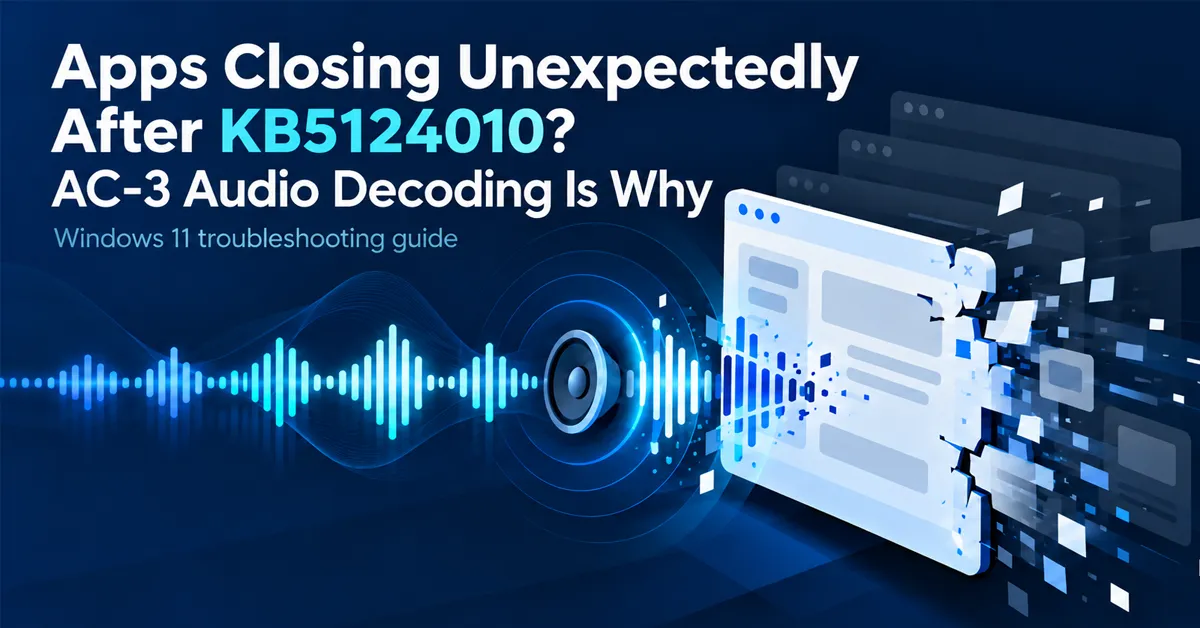
An application that worked last week now closes the moment it tries to play audio. Sometimes it will not launch at all. There is no error dialog, no crash report worth reading — the window simply disappears.
If the device installed KB5124010 (22 September 2026) or later, and the crash tracks audio playback, the likely cause is Windows’ built-in AC-3 audio decoder, the component that handles Dolby Digital sound.
What you will actually see
Microsoft describes the behaviour as varying by what the application does:
- The application fails to launch at all
- Or it closes without warning partway through
- Or it works normally until a specific feature is used — playing music, starting a video, triggering a sound effect
That third pattern is the one that wastes people’s time. The app opens fine, so the update gets ruled out early, and the real trigger only becomes obvious after several reproductions.
Which applications are affected
Microsoft names categories rather than products: games, media players, and certain productivity applications.
The useful distinction is not what kind of app it is — it is whose decoder it uses.
| Application type | Likely affected? |
|---|---|
| Older apps relying on Windows’ built-in audio decoding | Yes — this is the group at risk |
| Modern apps that bundle their own codecs | No — they never call the Windows component |
| Apps that play only non-AC-3 audio | No |
In Microsoft’s words, the component involved is “most commonly used in legacy applications that still rely on Windows built-in audio decoding,” and many modern applications “include their own audio decoding components.”
Practically, that means the risk sits with older software: media players that predate bundled codecs, games from an earlier era, and long-lived line-of-business tools that nobody has recompiled in years. Those last ones are the quiet problem in a managed estate, because they are exactly the applications with no vendor left to call.
Confirming it is this and not something else
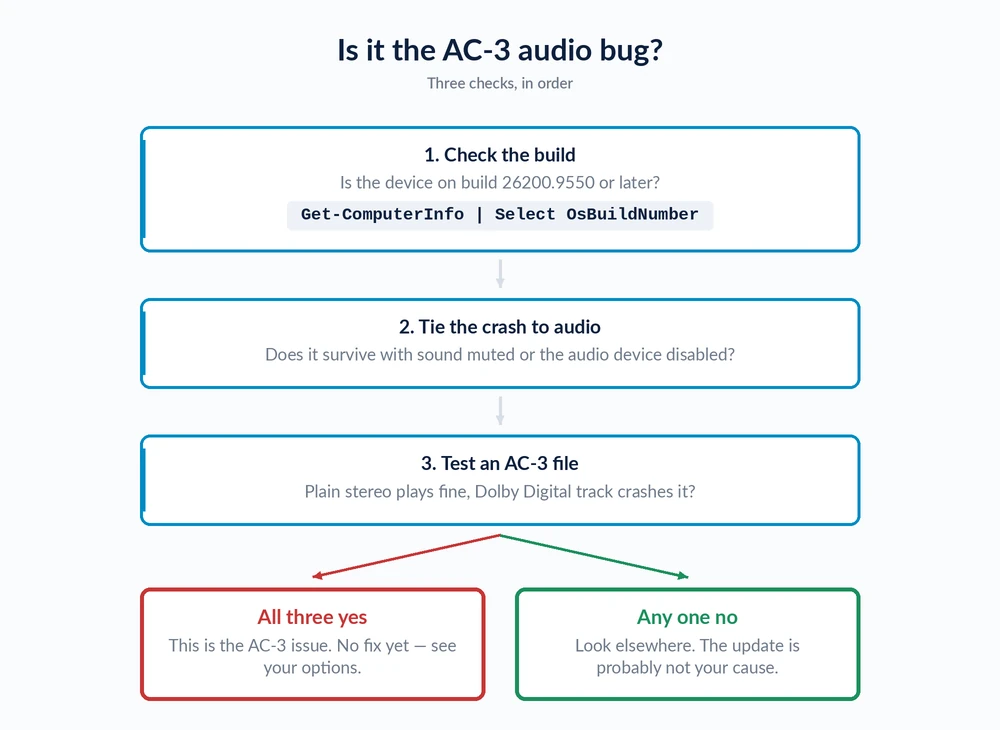
Three checks, in order:
1. Check the build. The issue starts with the 22 September update.
Get-ComputerInfo | Select-Object OsName, OsVersion, OsBuildNumber
Get-HotFix | Sort-Object InstalledOn -Descending | Select-Object -First 5
If the device is on one of these builds or later, it has the affected update:
- Windows 11 24H2: 26100.9550 or later
- Windows 11 25H2: 26200.9550 or later
- Windows 11 26H2: 26300.9550 or later
Windows 11 26H1 runs on a separate servicing branch and is not listed among the affected versions.
2. Tie the crash to audio. Launch the application with sound muted at the Windows level, or with the audio device disabled in Device Manager. If it survives when it previously crashed, audio is implicated.
3. Test a file you know is AC-3. Dolby Digital audio is common in older video files and DVD rips. If the same application handles a plain stereo file fine and dies on an AC-3 track, that is about as close to confirmation as you will get without a debugger.
ntdll.dll fault is common here and tells you nothing either way.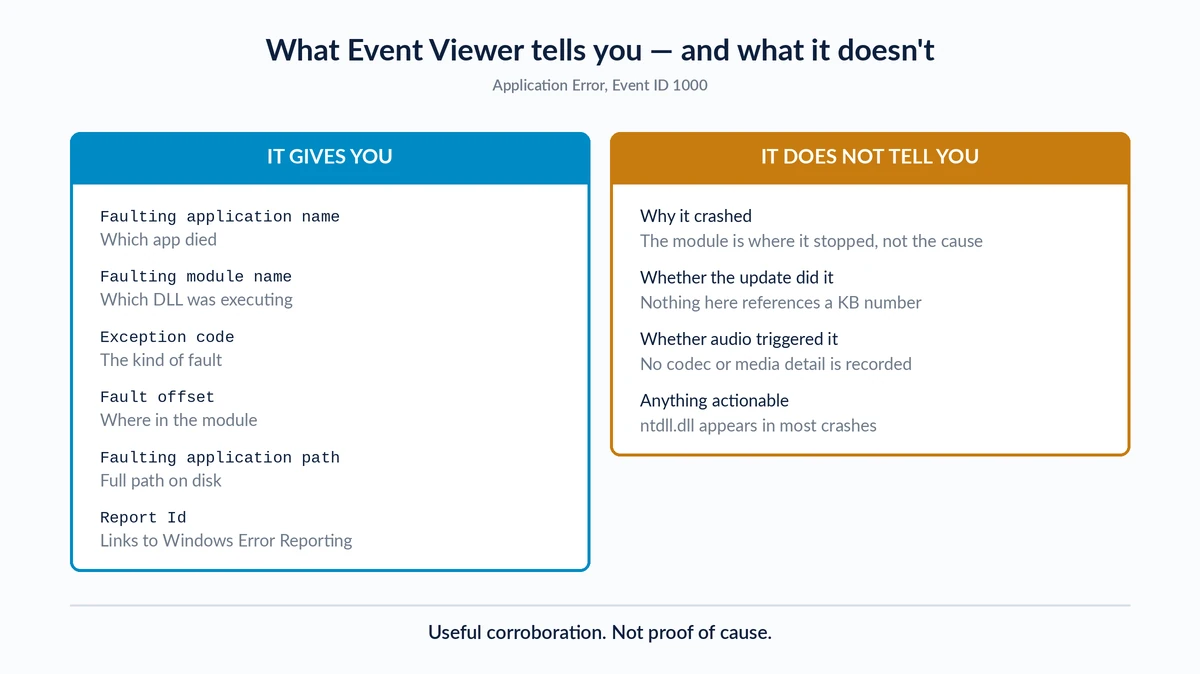
The fix: install the October 2026 update
Microsoft resolved this in the updates released 13 October 2026. In Microsoft’s words, the issue “was resolved by Windows updates released October 13, 2026 (KB5127648), and later.”
Install it and you are done. Confirm the device is on one of these builds or later:
| Windows 11 version | Build after KB5127648 |
|---|---|
| 24H2 | 26100.9711 |
| 25H2 | 26200.9711 |
| 26H2 | 26300.9711 |
Get-ComputerInfo | Select-Object OsName, OsVersion, OsBuildNumberBecause this is a cumulative security update, it reaches every machine on the normal monthly channel. You do not need to opt into preview updates to receive the fix — unlike KB5124010, which caused the problem and was optional.
If you cannot install it yet
If the October update is held in your rings pending validation, the interim options are unchanged and all of them are compromises:
- Use an application that bundles its own codec. Practical for a single media player. There is no equivalent for a game or a line-of-business tool — you cannot swap the engine.
- Uninstalling KB5124010 remains a poor trade. It re-exposes domain-joined machines to the Machine Identity Isolation problem — see our guide to the trust relationship error after KB5124008 — and the next cumulative update reinstalls it anyway. With a real fix now shipping, there is almost no case for this.
If the machine is also sluggish or misbehaving in other ways since updating, that is worth separating out; our guide to diagnosing performance problems after an update covers that ground.
The decision IT administrators actually face
For three weeks this was a genuine dilemma, and it is worth understanding because it shaped what you may already have deployed.
KB5124010 fixed one serious problem and introduced another.
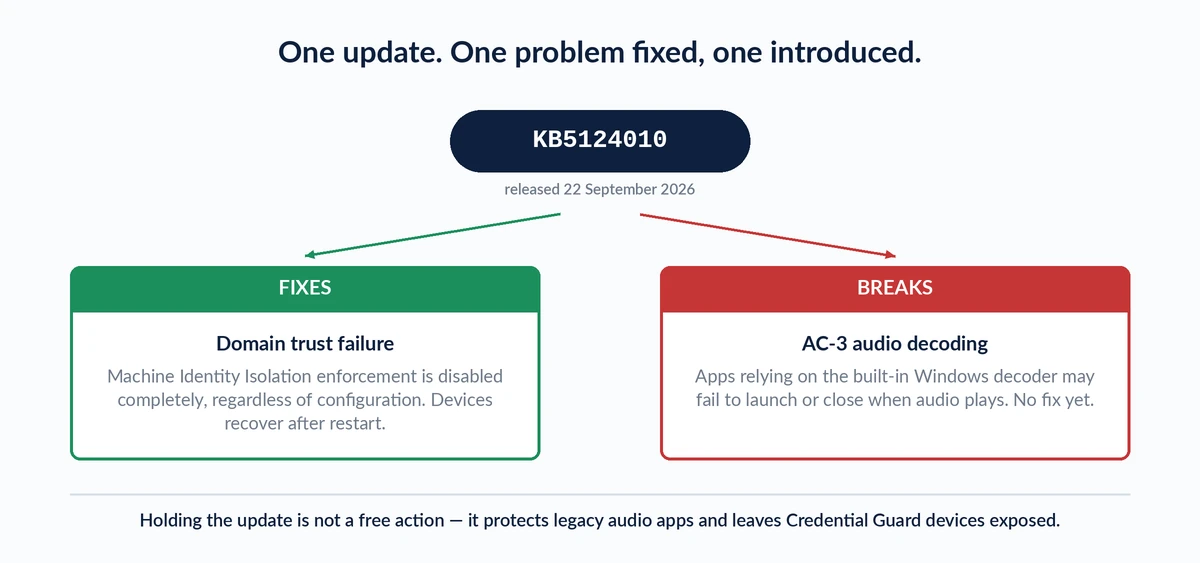
Holding the update protected legacy audio applications and left Credential Guard devices exposed to sign-in failures. Deploying it did the reverse. Which way you went depended on whether you had Machine Identity Isolation enabled against a pre-2025 domain functional level.
The October update ends that trade-off. KB5127648 is cumulative — it carries the Machine Identity Isolation fix that shipped in KB5124010 and the AC-3 fix. If you held KB5124010 to protect legacy applications, you can now deploy October and get both. There is no longer a version of Windows where you have to choose.
The one piece of work still worth doing is the survey: knowing which of your legacy applications decode AC-3 is useful intelligence regardless, because the next audio-stack regression will land on the same set of applications.
Why this one resolved quickly
The fix arrived five days after Microsoft opened the issue, which is fast, and the reason is worth knowing for next time.
KB5124010 was a preview release. It only reached machines that had opted into optional updates — a small slice of the installed base. The contents of a preview update normally roll forward into the next monthly security update, which everyone receives. That gave Microsoft a narrow window: fix it before the October cumulative, or ship the bug to every Windows 11 device.
It made the October release the effective deadline, and the fix landed in it. The practical lesson is that a bug confined to a preview update tends to get resolved before the next Patch Tuesday, because the alternative is shipping it to the whole fleet. A bug that originates in a security update has no such forcing function — those can sit for months, as the September trust relationship failure nearly did.
Final thoughts
This one has a clean ending, which is not always the case. Install the October 2026 update and the problem is gone.
The part worth keeping is the diagnostic path. An application that closes the moment audio starts is a specific signature, and recognising it saves an afternoon of reinstalling software that was never broken. The next time an update breaks audio — and there will be a next time — the same three checks apply: confirm the build, mute the system and retest, then compare an AC-3 file against plain stereo.
For other problems traced to recent Windows updates, see our guides to Windows 11 update error codes and update-related gaming failures.
Frequently Asked Questions
What causes apps to close after KB5124010?
Windows’ built-in AC-3 (Dolby Digital) audio decoder. Applications that rely on that component rather than bundling their own codec may fail to launch, or close unexpectedly when audio plays. Microsoft confirmed the issue on 8 October 2026 and resolved it in KB5127648 on 13 October 2026.
Which Windows versions and builds are affected?
Windows 11 versions 24H2, 25H2 and 26H2, from the update released 22 September 2026 (KB5124010) onwards. The corresponding builds are 26100.9550 for 24H2, 26200.9550 for 25H2 and 26300.9550 for 26H2. Windows 11 26H1 is on a separate servicing branch and is not listed as affected. Microsoft lists no affected server platforms.
Do I even have this update?
Possibly not. KB5124010 is a preview release, meaning it is optional. It installs only if you went looking for it or have the setting to get the latest updates as soon as they are available turned on. Machines taking only monthly security updates will not have it yet.
Is there a fix?
Yes. Microsoft resolved this in KB5127648, released 13 October 2026. Install the October security update. The fixed builds are 26100.9711 for 24H2, 26200.9711 for 25H2 and 26300.9711 for 26H2. No workaround is needed once the update is installed.
Should I uninstall KB5124010?
No. Install KB5127648 instead — it is cumulative, so it includes everything KB5124010 fixed plus the AC-3 fix. Removing KB5124010 would re-expose domain-joined devices to the Machine Identity Isolation sign-in failure for no benefit.
Which applications are affected?
Microsoft names games, media players and certain productivity applications. The common factor is reliance on Windows’ built-in audio decoding rather than a bundled codec, which makes older software the main risk. Modern applications that include their own decoders are not affected.
How do I know it is this issue and not the application?
Check the build first, then test whether the crash tracks audio specifically. If the application survives with sound muted or the audio device disabled, and dies on AC-3 content but not plain stereo, that is a strong match.
Does this affect Windows Server?
No. Microsoft lists no affected server platforms for this issue.
When did Microsoft fix it?
13 October 2026, in KB5127648. The issue was opened on 8 October 2026 and resolved five days later, in the next monthly security update.
Should I hold KB5124010 in my update rings?
This is no longer the relevant question. KB5127648, released 13 October 2026, is cumulative and carries both the Machine Identity Isolation fix from KB5124010 and the AC-3 fix. Deploy October and you get both without having to choose between them.